Contents #
Concisely #
- Most writing is scanned, not read — write so a reader can find things fast
- Lead with the point, then the supporting details
- Emphasize the word that carries the point — usually a key noun or verb (and bold it sparingly)
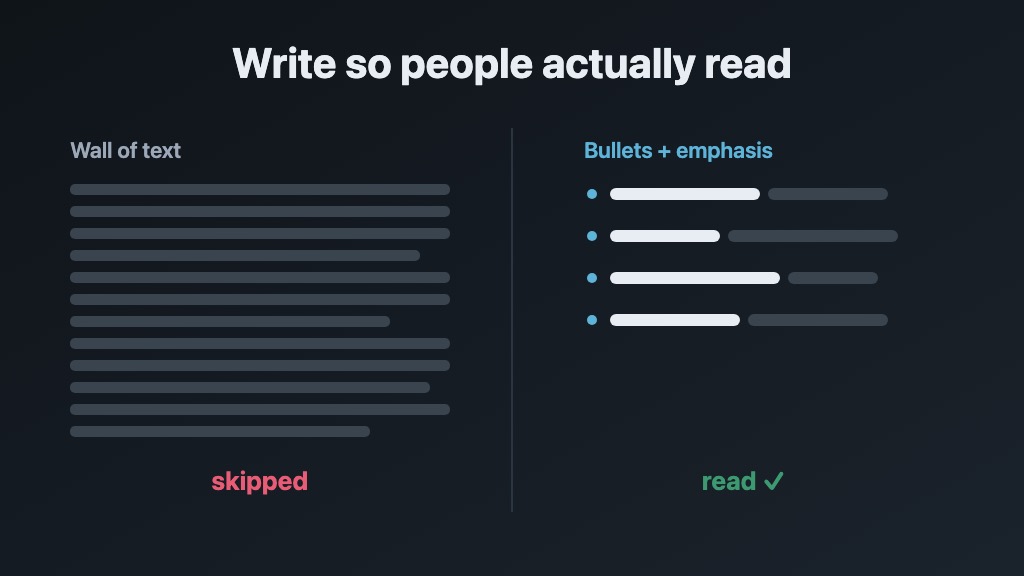
- Short paragraphs (1-3 sentences) and lots of bullets
- Underline only links; never center-justify body text
- This matters more in 2026: both you and your bots read and write more than ever, and concise text is consistent, clearer, and cheaper
- Use caution: the word concise can have significant effects on LLM-generated text
- Do all of this and you get information-dense writing: the most meaning per word, easy to skim, search, and remember
We were taught to write wrong #
School teaches essay format: introductory paragraph, supporting body paragraphs, conclusion that restates the thesis. This made sense for graded papers. It doesn’t work for much else.
- Most professional writing — emails, docs, product specs, system prompts, blog posts — is scanned much more often
- Readers want to find the one thing they need, not wade through prose to locate it
Once you practice concise, information-dense writing, you’ll notice violations everywhere.
Parts of speech? #
Do you remember all the parts of speech? I certainly didn’t. You don’t need the whole list — just the few that decide whether a sentence is tight or bloated.
Knowing them by name makes it much easier to spot what to cut and what to emphasize, and to communicate these rules to your team.
Nouns — the subject and the object. Person, place, or thing. The who and the what. They carry the most meaning, so they’re usually what a reader scans for and what you bold.
- "The system sends the user an email." — subject and objects do all the work; everything else is glue.
Verbs — the action. A strong verb replaces several weak words. Front-load it.
- "made a decision" → "decided"
- "is responsible for sending" → "sends"
- "gives consideration to" → "considers"
- A pile of adverbs usually signals a weak verb: "ran quickly" → "sprinted".
Adjectives and adverbs — use sparingly. Most are filler. "very", "really", "quite", "actually", and "just" add length, not meaning.
- "very important" → "critical"
- "really fast" → "fast" (or better, a number)
- "we actually just need to basically rewrite it" → "we need to rewrite it"
Articles and prepositions — connective tissue. "a", "the", "of", "to", "for". Necessary in real sentences, but often trimmable in headings, bullets, and labels.
- "the configuration of the system" → "system config"
- "a list of the steps to follow" → "steps"
- "click on the button that is labeled Save" → "click Save"
Lead with a tight opening clause. Pack the subject and object into the first few words, so the reader gets the point before the period instead of after it.
- Buried: "After reviewing the logs, it turns out the parser is the thing that’s failing."
- Front-loaded: "The parser is failing — the logs show it."
- Buried: "In order to be able to deploy, you will first need to run the migration."
- Front-loaded: "Deploy needs the migration first."
Why it matters: every word you cut is one less thing between the reader and the point. Strong nouns and verbs are what let you delete the modifiers and connective words around them.
When it matters most: headings, bullets, the first sentence of any section, UI labels, and anything an LLM will read on every single request.
A big shoutout: Letting Go of the Words #
Even in 2026 this book1 is critical. The modern torrent of mobile apps and websites hasn’t made concise writing or UX better; it’s made it a lot worse and certainly more fragmented.
It’s somewhat long, and various parts can be skimmed or skipped, but it’s highly recommended by S. Krug from Don’t Make Me Think2 and probably deserves a place on your desk.
A few ideas worth stealing from it:
- You are having a conversation with each user that comes to your site/app
- Write with their words — not your company jargon
- Users usually have a question they need answered quickly: people are busy and don’t care about your company or its backstory (so remove all filler copy)
- Thus you write for scanning: headings, short paragraphs, lists
- Cut, then cut again — most pages can lose half their words and read better for it
- And lots more!
Keep it short: paragraphs #
Short paragraphs are the fastest win. A reader’s eye bounces off a dense block and skips it, but a one-to-three sentence paragraph invites a glance. When a paragraph runs long, it’s almost always two ideas wearing one coat — so split it.
- Paragraphs: 1-3 sentences max. If it’s longer, it probably contains multiple ideas — split it.
- If you’re writing a 4th sentence, stop. Make it a bullet list or break it into two paragraphs.
Use a lot of bullets #
Bullets are the single most effective tool for scannable writing. Use them for:
- Lists of any kind (features, steps, options, requirements)
- Comparisons (pros vs. cons, before vs. after)
- Key takeaways at the end of a section
- Anywhere a reader might need to find one specific item
Selective emphasis #
Two marks, two different jobs — don’t blur them:
- Bold = "look here": the one keyword (a noun or verb) a scanner needs. At most once per sentence; if everything is bold, nothing is.
- Italic = "name a thing": a title, a term you’re defining on first use, or a word referred to as a word (like the word concise). On this site italics render in a loud accent color, so use them even more sparingly than bold — and never on a whole phrase.
- Don’t put both marks on one word. For plain tonal stress, reword or bold a single keyword instead.
- Underlines are still off limits — even in 2026, people instinctively want to click underlined text. Reserve underlines exclusively for links. Janice Redish covers this well in Letting Go of the Words.1
- Don’t center-justify body text — ragged starts make the eye hunt for where each line begins. Center only short, deliberate things: a title, a single callout.
H2s are your best friend #
Use H2 headers as signposts. Readers use H2s to scan the page and find what they are looking for.
- H2 for major sections
- H3 for sub-sections within an H2 (in practice H3s can/should usually be avoided)
- Rarely go deeper than H3 in most content
Writing with LLMs #
LLMs read and write more of our text every day — your docs, emails, prompts, code, specs, and their own output.
- They consume your docs, READMEs, and system prompts on every request — concise, structured text costs fewer tokens and produces better results3
- Same information, fewer words: a tight bulleted version is cheaper to process and harder to misread than a wall of prose
One caution: steering words like concise move LLM writing a lot — use them deliberately. When generating content:
- Start from a bare system prompt and generate a few version of your content (user prompt)
- Compare the same prompt across providers, and don’t assume you need the top model — for most writing, mid-tier (e.g. Sonnet) is plenty
- Test single words — concise, tight, consistent — against a no-prompt baseline, and keep only what measurably helps (the word concise can cut too much)
- Less is more as models improve: New model versions typically require less steering via system prompt
- Review and cut prompts often: Time and time again something sneaks into a system prompt and changes behavior in an undesirable way
- Measure changes with a rubric instead of vibes (see Grader bot)
The Churchill test #
Winston Churchill sent a memo to his War Cabinet staff 86 years ago on August 9, 1940:4
"To do our work, we all have to read a mass of papers. Nearly all of them are far too long. This wastes time, while energy has to be spent in looking for the essential points."
Sound familiar?
Cheatsheet #
Bookmark this. Everything above, in one screen:
- Lead with the point — put the answer first; front-load the subject and verb
- Short paragraphs — 1-3 sentences; a 4th means split it
- Bullets for any list of 2+ items
- H2s as signposts — a reader should grasp the page from the headings alone
- Strong nouns and verbs — "made a decision" → "decided"; let them carry the sentence
- Cut filler — "very", "really", "just", "actually", and trimmable articles and prepositions
- Bold one keyword per sentence — the noun or verb a scanner needs; never bold everything
- Italics name a thing — a title, a term on first use, a word-as-word; not tonal stress
- Underline only links; and never center-justify body text
- Write to the reader — their words, not your jargon; answer their question, skip the backstory
- Edit hard — cut 30% on the first pass, then another 10%; read it on your phone
- Steer LLMs carefully — start from a bare prompt, test words like "concise" vs "tight", measure with a grader
Footnotes #
- Janice (Ginny) Redish, Letting Go of the Words: Writing Web Content That Works (2007, 2nd ed. 2012). Morgan Kaufmann. The definitive guide to writing scannable web content. Still the best practical guide — the advice has only gotten more relevant. Amazon. ↩
- Steve Krug, Don’t Make Me Think (2000, 3rd ed. 2014). Complementary to Redish — focuses on how people actually use websites vs. how designers imagine they do. Amazon. ↩
- As of mid-2026, frontier model input pricing is $2.50-5.00 per million tokens. Concise writing is no longer just a style preference — it’s a cost optimization. ↩
- Winston Churchill, "Brevity" memo to the War Cabinet staff, 9 August 1940 (UK National Archives, CAB 67/8). It asked for short, crisp paragraphs, complicated detail moved to appendices, headings-only aide-mémoires where possible, and an end to woolly officialese. Full text: Harvard Kennedy School Policy Memos. ↩